The goal is not to buy the copier with the longest feature list. It is to choose equipment that matches how your Austin office actually works.
Office Copier Austin TX: Start With Your Actual Workflow
Before comparing models or monthly payments, determine what employees actually print, copy, and scan throughout a normal month.
An accounting firm may produce statements, tax documents, financial reports, and internal records. A law office may print contracts, correspondence, exhibits, and case documents. A real estate company may need property information, photographs, maps, presentations, and client packets.
Construction companies often print schedules, proposals, project documentation, invoices, and contracts. Medical and professional offices may process large quantities of forms, records, and administrative documents.
These businesses can all have similar numbers of employees while requiring very different equipment.
Start by answering several basic questions:
- How many pages does the office print each month?
- What percentage of those pages require color?
- How many employees use the copier?
- How frequently is the scanner used?
- Are most documents one-sided or two-sided?
- Do employees regularly print large document sets?
- Is stapling or sorting important?
- Are there periods when printing volume increases significantly?
- Is the current machine creating workflow problems?
A copier should be selected around these requirements rather than choosing a machine first and trying to make the office adapt to it. Businesses comparing equipment can also review the
office copiers and printers available from Texas Office Machines.
Color Copier Austin TX: When Color Is Worth It
A color copier Austin TX business owners choose should provide a practical advantage to the company.
Color can make an important difference when employees regularly produce customer-facing or visually detailed documents.
Common examples include:
- Sales presentations
- Marketing materials
- Proposals
- Charts and graphs
- Property listings
- Training materials
- Maps
- Financial presentations
- Branded documents
- Client packets
- Photographs
- Educational materials
Color can make charts easier to understand, strengthen branded presentations, distinguish important sections of reports, and improve the appearance of documents presented to customers.
For businesses where printed materials are part of the sales or customer experience, professional color output can provide genuine value.
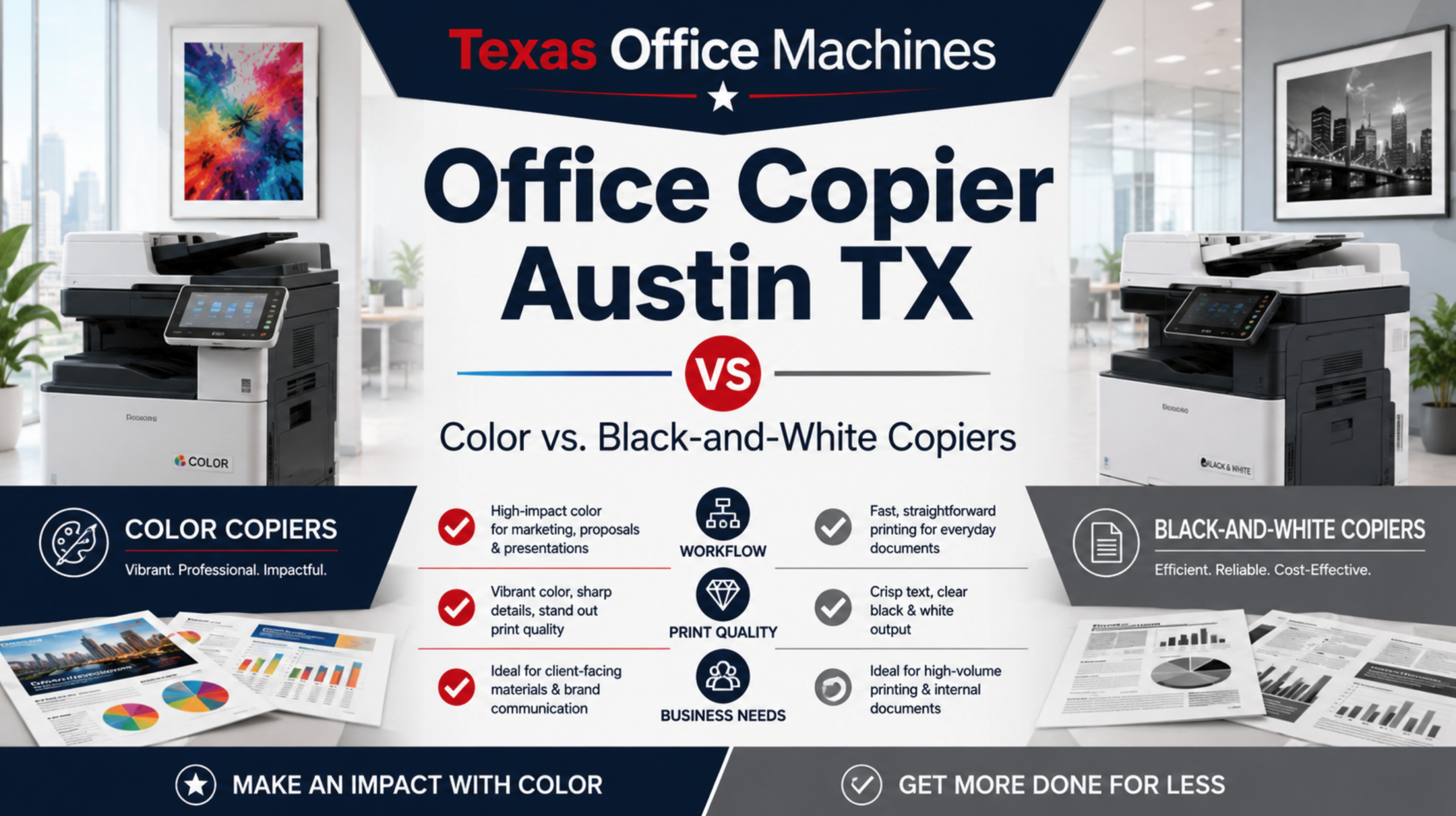
That does not mean every document needs to be printed in color. An office can still establish black-and-white as the default for routine documents while allowing employees to select color when it improves the final material.
When evaluating a color copier Austin TX, consider how frequently color is genuinely required rather than simply asking whether employees would like to have it available.
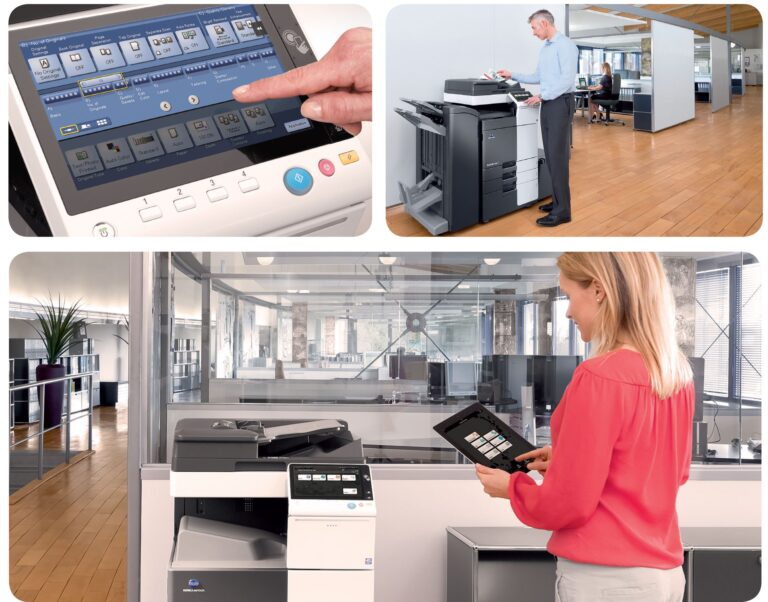
Modern multifunction systems can combine printing, copying, color scanning, duplexing and automatic document feeding in one device. Businesses interested in understanding current multifunction capabilities can review
Konica Minolta’s official multifunction printer information.
Black and White Copier Austin: When Monochrome Makes More Sense
A black and white copier Austin office uses can be an excellent choice when most documents consist primarily of text.
Businesses that regularly print contracts, invoices, applications, internal reports, administrative forms, legal documents, accounting records, and similar materials may have little reason to make color output the center of their copier strategy.
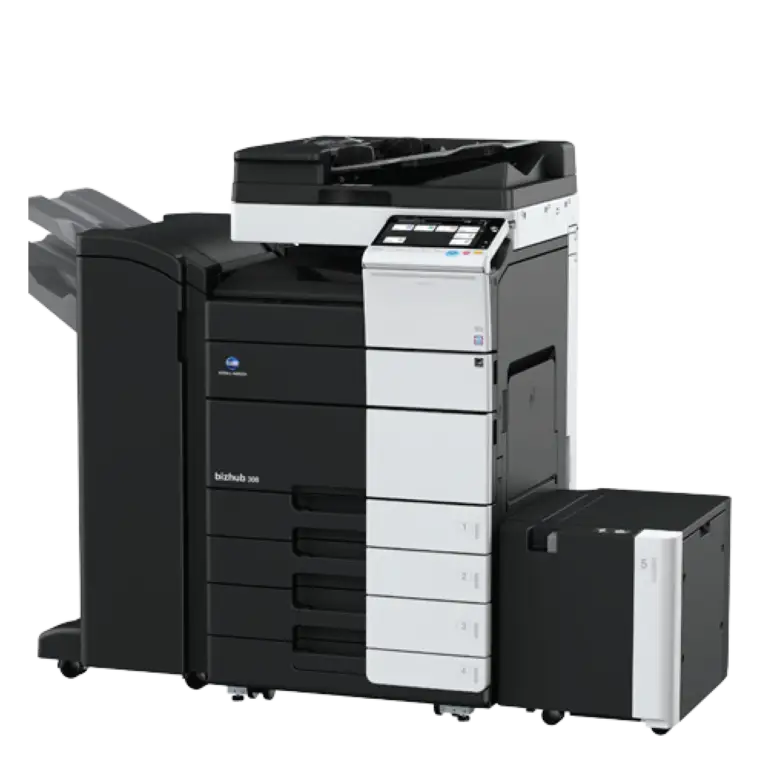
Black-and-white commercial copiers can still provide advanced functionality, including:
- High-speed printing
- Automatic duplex printing
- Network printing
- High-speed scanning
- Scan-to-email capabilities
- Automatic document feeding
- Multiple paper trays
- Sorting
- Stapling and finishing options
- Large paper capacity
Choosing black-and-white does not mean choosing basic equipment. A properly configured machine can support demanding business environments while focusing on the functions employees actually use.
If most of your company’s monthly volume is text-based, a black and white copier Austin businesses can depend on may make more sense than paying for color capabilities that are rarely used.
Some Austin Offices Benefit From Both
The decision does not necessarily have to be one machine or the other. Larger businesses may benefit from a mixed equipment environment.
A company might place a high-volume black-and-white copier in the department producing the most routine paperwork while maintaining a color multifunction copier for marketing, sales, management, or customer-facing documents.
This approach can be particularly useful when different departments have very different printing requirements.
It can also reduce bottlenecks. Instead of sending every print, copy, and scan job to one central machine, employees can use equipment better suited to the type of work they are producing.
Before adding multiple devices, however, determine whether the volume justifies them. More equipment is not automatically better. Each machine should have a clear purpose.
Commercial Copier Austin TX: Print Volume Matters
When selecting a commercial copier Austin TX, businesses should pay close attention to monthly print volume.
A copier used by five employees producing a few thousand pages per month has different requirements from a shared machine supporting several departments and significantly higher output.
Undersizing equipment can create problems such as:
- Excessive equipment wear
- Frequent interruptions
- Longer employee wait times
- Increased maintenance needs
- Paper capacity limitations
- Workflow bottlenecks
Oversizing equipment creates a different problem: paying for performance and capacity your company does not use.
Review current copier meter readings or print-management reports when available instead of relying entirely on employee estimates.
Also consider peak usage. An accounting firm may experience higher output during tax season. A school may print heavily around enrollment or testing periods. A construction company can see volume increase during major projects.
The right copier should handle normal volume comfortably while providing enough capacity for predictable increases.
Copier Speed Should Match the Number of Users
Pages per minute is often treated as one of the main copier specifications, but the fastest machine is not automatically the right machine.
Speed becomes particularly important when multiple employees regularly send large jobs to the same device.
A small office that occasionally prints five-page documents may never notice the difference between two copier speed classes. A busy office where many employees are printing reports, contracts, and multi-page document sets throughout the day probably will.
Waiting for office equipment may seem like a minor inconvenience, but repeated delays across multiple employees can affect the overall workflow.
When comparing a commercial copier Austin TX solution, consider both total monthly volume and how concentrated that volume becomes during busy parts of the day.
Scanning Can Be Just as Important as Printing
Modern office copiers are multifunction systems, and many Austin businesses scan large quantities of paperwork.
Ask whether your office needs:
- Scan-to-email
- Scan-to-network folders
- Double-sided scanning
- Large automatic document feeders
- Fast multi-page scanning
- Digital document archiving
- Multiple scanning destinations
An office that routinely converts large document packets into digital files can lose considerable employee time using equipment with a slow document feeder.
The right machine should therefore improve the entire document workflow—not just printing.
Paper Capacity and Finishing Features Matter
Paper capacity is easy to overlook until employees are refilling trays repeatedly during the workday.
Higher-volume offices may benefit from additional paper trays or larger-capacity configurations.
Multiple trays can also keep different paper types ready for use, including:
- Letter-size paper
- Legal-size paper
- Letterhead
- Colored paper
- Specialty stock
Finishing features can provide another productivity improvement. Businesses that regularly produce presentations, reports, packets, or training materials may benefit from automatic sorting, collating, stapling, or other finishing capabilities.
If employees currently spend significant time manually assembling printed documents, the right copier configuration may reduce repetitive work.
However, there is little reason to pay for advanced finishing equipment if employees almost never use it.
Consider Energy Efficiency Too
Energy consumption is another factor worth considering when comparing office equipment. ENERGY STAR maintains efficiency requirements specifically for printers, copiers, scanners, and multifunction devices, including power-management and duplexing requirements for applicable equipment.
Businesses comparing machines can review the
ENERGY STAR imaging equipment guidelines
to learn more about energy-efficient printers, copiers, scanners, and multifunction equipment.
Copier Leasing Austin TX: Should You Lease or Buy?
Businesses evaluating copier leasing Austin TX options should consider both immediate costs and long-term equipment plans.
Leasing can allow a business to acquire commercial office equipment without paying the entire purchase price upfront. Purchasing may make more sense for businesses that prefer direct ownership and expect to keep their equipment for an extended period.
The
U.S. Small Business Administration discusses equipment leasing and purchasing considerations
for businesses evaluating capital equipment decisions.
Before making a decision, compare:
- Equipment cost
- Monthly payment
- Lease length
- Service agreement
- Toner coverage
- Maintenance
- Repair coverage
- End-of-lease terms
- Ownership options
- Upgrade requirements
Texas Office Machines offers purchasing and copier leasing Austin TX options along with service agreements that can include toner, maintenance, and repairs.
The important part is to compare the complete arrangement rather than evaluating only the monthly equipment payment.
When Copier Rental May Be Better
Some businesses do not need a permanent machine.
Copier rental can make sense for:
- Temporary offices
- Construction projects
- Events
- Seasonal operations
- Short-term business expansions
- Temporary replacement equipment
- Special projects
If the requirement has a clear end date, renting may provide more flexibility than purchasing or entering a longer lease.
Austin and Central Texas businesses can learn more about
copier and printer rental options from Texas Office Machines.
New vs. Used Commercial Copiers
Another decision is whether your office requires brand-new equipment.
A quality used commercial copier can be appropriate for businesses that want dependable printing, copying, and scanning without necessarily requiring the newest features.
New equipment may be preferable for organizations that need a particular configuration, newer interface, specific workflow capability, or higher performance.
Instead of assuming one option is better, compare the actual machine, its condition, features, expected workload, service support, and total cost.
Texas Office Machines offers both new and gently used office equipment. Businesses can review current
copiers and office printers here.
How to Choose the Right Copier for Your Austin Business
Before selecting equipment, create a simple requirements list.
Determine Monthly Print Volume
Use actual meter readings whenever possible. Understanding current usage gives you a better starting point for selecting equipment with appropriate capacity.
Separate Color From Black-and-White Volume
Determine how many documents genuinely benefit from color and how many are routine internal documents that can be printed in black-and-white.
Count Regular Users
More employees sharing the device can increase speed, paper capacity, scanning, and durability requirements.
Review Scanning Volume
A copier with strong scanning capabilities may save more employee time than simply choosing a faster printer.
Identify Essential Features
Separate features employees actually need from capabilities that sound useful but may rarely be used.
Consider Future Growth
A growing company should choose equipment with enough capacity to accommodate realistic expansion without dramatically oversizing the machine.
Compare Complete Costs
Look beyond the machine price and consider service, toner, maintenance, supplies, financing, contract terms, and expected usage.
Why Local Copier Service Matters in Austin
Even the right copier eventually needs toner, maintenance, technical support, or repair.
When a central office copier is unavailable, employees may begin routing large jobs to smaller printers or delaying paperwork altogether.
Local service therefore matters, especially for businesses that depend heavily on their office equipment.
A copier provider should be able to help determine appropriate equipment, support installation, answer user questions, and provide ongoing service when problems occur.
Texas Office Machines provides copier sales, service, supplies and office-equipment support. Learn more about
Texas Office Machines services.
Find the Right Office Copier Austin TX
Need an office copier Austin TX businesses can rely on for everyday printing, scanning, and copying? Start by matching the equipment to your actual workflow rather than choosing based only on price or specifications.
A color copier Austin TX business uses may be ideal when presentations, graphics, branded documents, and customer-facing materials matter.
A black and white copier Austin office relies on may be the better option for high-volume contracts, forms, reports, and administrative documents.
For larger or busier offices, the best solution may involve multiple devices or a properly configured commercial copier Austin TX system with the speed, paper capacity, scanning, and finishing features employees require.
Not sure which copier is right for your business? Call Texas Office Machines at
(512) 302-5353
and we can help you compare your options, understand your printing needs, and choose the right copier, lease, rental, or service plan for your Austin-area office.
You can also
contact Texas Office Machines online
to request a quote or get help choosing the right equipment.
Office Copier Austin TX FAQs
What is the best office copier Austin TX businesses should choose?
The best copier depends on monthly print volume, number of users, color requirements, scanning volume, speed, paper capacity, finishing needs, and budget. The machine should be sized around the office’s actual workflow.
Is a color copier Austin TX business owners choose worth the additional capability?
A color copier can be worthwhile for companies regularly printing presentations, proposals, graphics, photographs, marketing materials, charts, and branded client documents. Offices producing mostly text may not need color for every job.
When should I choose a black and white copier Austin businesses can use?
Black-and-white equipment is often a strong choice for offices producing large volumes of contracts, invoices, forms, reports, legal documents, and other primarily text-based materials.
What should I look for in a commercial copier Austin TX provider?
Consider the available equipment, service support, maintenance options, toner and supply coverage, leasing or purchasing options, and whether the provider can recommend equipment based on your actual business requirements.
How does copier leasing Austin TX work?
Leasing allows businesses to spread equipment costs over an agreed term instead of paying the entire purchase price upfront. Businesses should review the payment, lease duration, service coverage, maintenance, toner, end-of-term conditions, and ownership options before signing.
Should my Austin business lease, buy, or rent a copier?
Leasing can work well for businesses that prefer predictable payments, purchasing may suit companies that want long-term ownership, and rental can be useful for temporary requirements. The best choice depends on budget, equipment needs, and how long the copier will be required.
Additional Resources
Texas Office Machines — Copiers & Printers
Texas Office Machines — Printer & Copier Leasing
Texas Office Machines — Office Equipment Rentals
Texas Office Machines — Copier Sales, Service & Supplies
Texas Office Machines — Request a Quote
Konica Minolta — Multifunction Printer Information
ENERGY STAR — Imaging Equipment
U.S. Small Business Administration — Managing Business Assets and Equipment